VoxCal User Manual

Everything you can do with VoxCal — the privacy-first, voice-powered nutrition tracker. Every screen below is captured from the live app.

Download PDF

Getting Started

Welcome to VoxCal

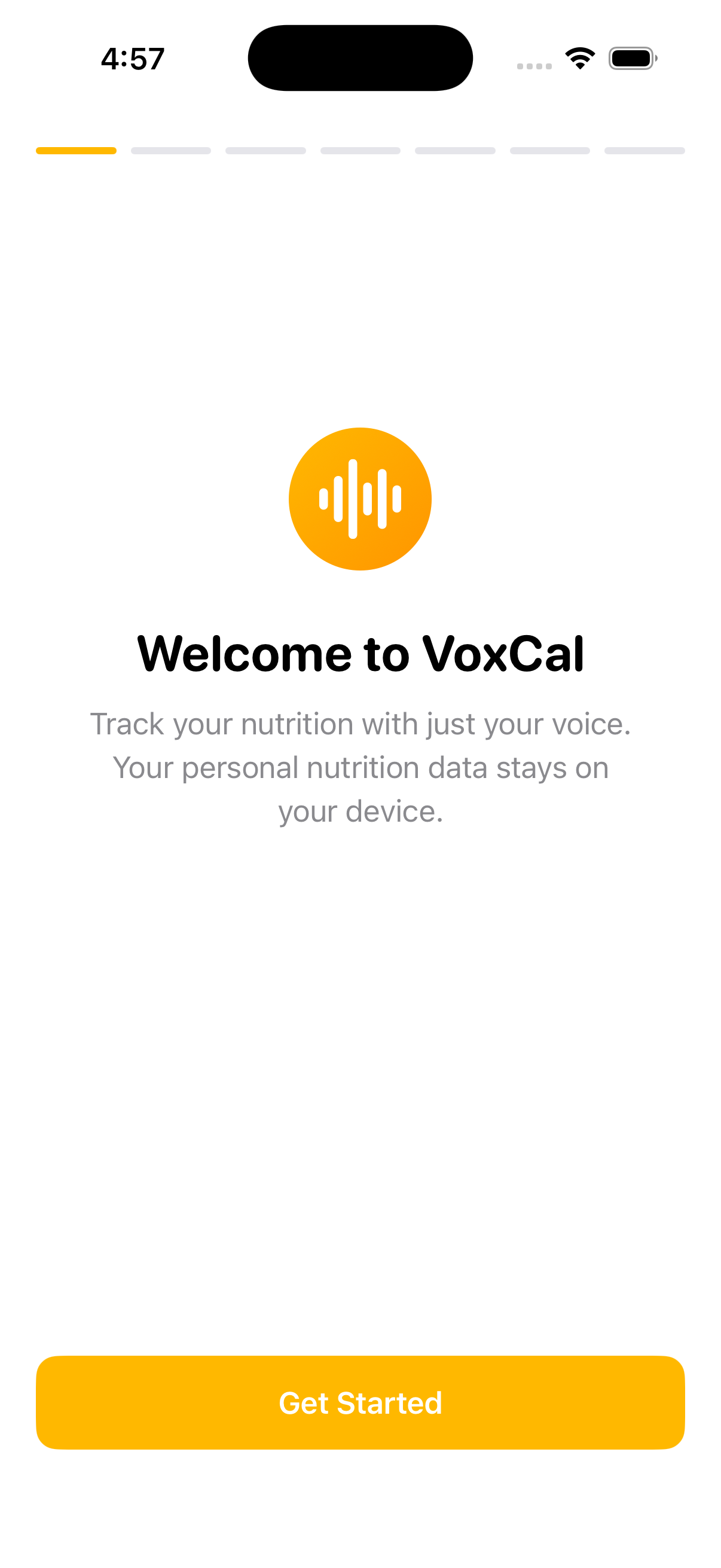
When you open VoxCal for the first time, a short guided setup walks you through what the app does and helps you set your daily goals.

  • Voice-first tracking. VoxCal is built around logging meals by speaking — no forms to fill in.
  • Your data stays private. Everything is processed and stored on your iPhone. There is no account to create and nothing is uploaded to a server.
  • Set your goals. During setup you choose your daily targets for calories, protein, carbs, fat, and water. You can change these any time in Settings.

Tap Get Started to move through the steps. When you finish, you land on the Dashboard.

Tip: You can replay this introduction at any time from Settings → Help Guide.
Getting Started

Dashboard

Your day at a glance

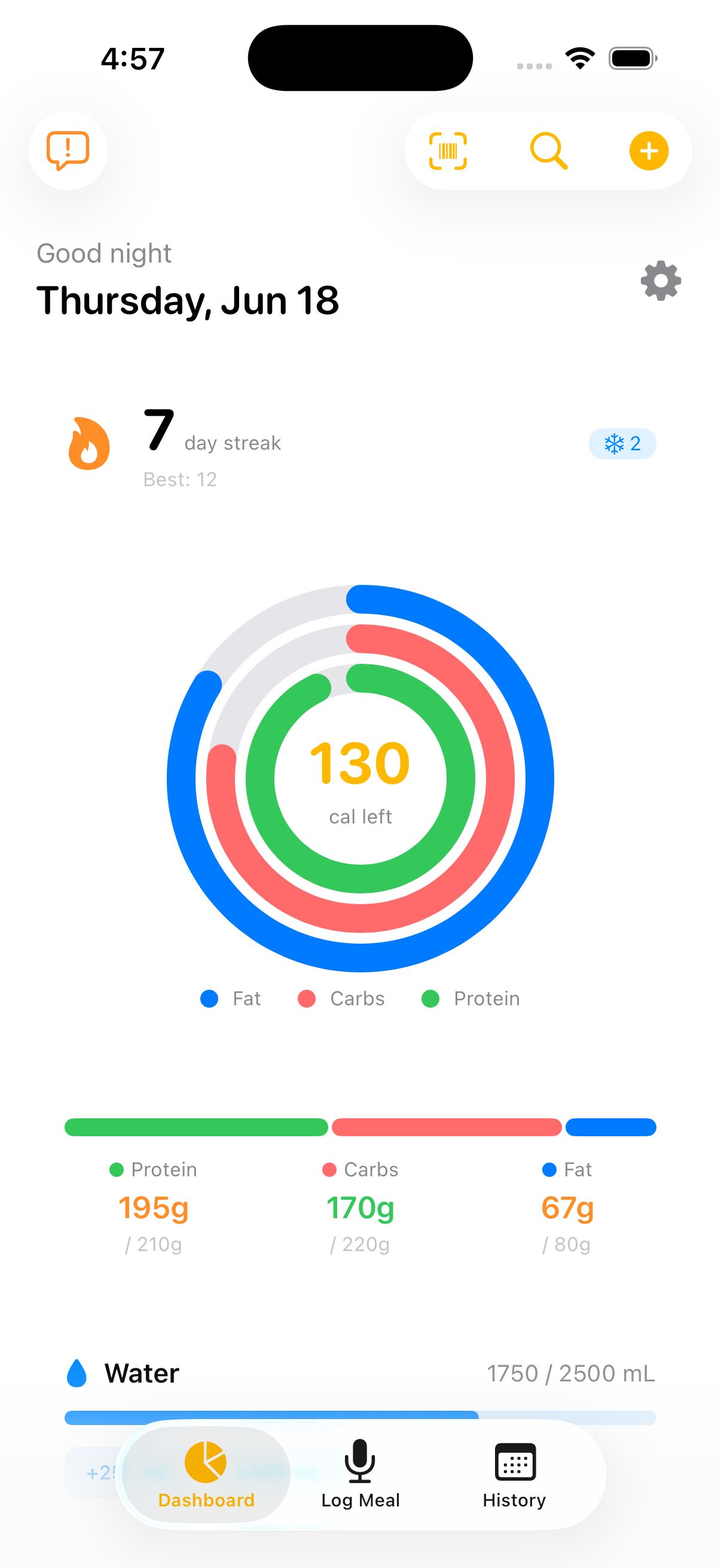
The Dashboard is your home screen. It shows today's progress and gives you one-tap access to logging.

  • Streak. The flame shows how many days in a row you've logged, your best-ever streak, and any remaining streak freezes that protect a missed day.
  • Calorie ring. The large ring shows calories remaining toward your goal. The coloured arcs break down fat, carbs, and protein.
  • Macros. Below the ring, progress bars show protein, carbs, and fat consumed against your daily targets.
  • Water. Track hydration with a progress bar and quick-add buttons.

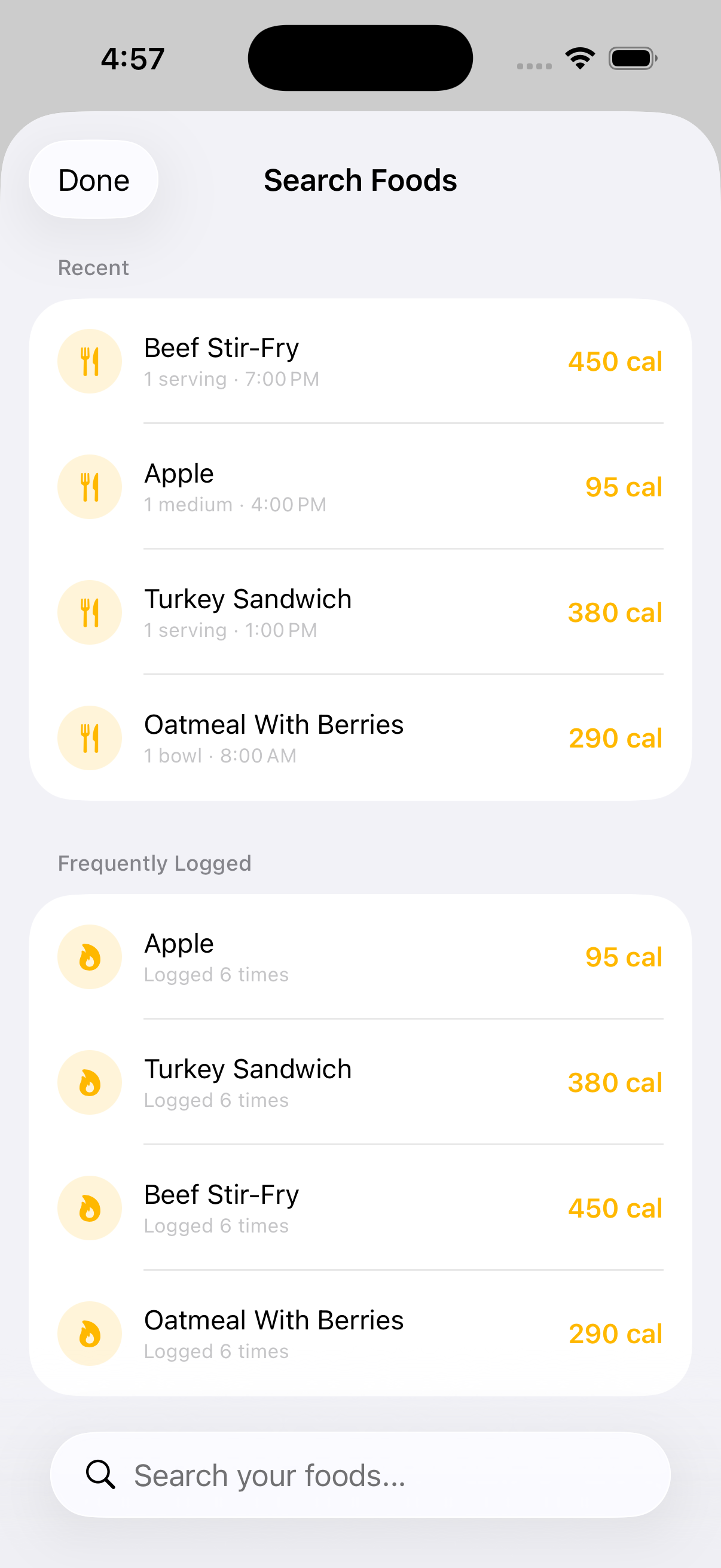
At the top you'll find quick actions: scan a barcode, search foods, add a meal manually (the + button), and Settings (the gear).

The tab bar at the bottom switches between Dashboard, Log Meal (voice), and History.

Dashboard

Voice Logging

Log a meal just by speaking

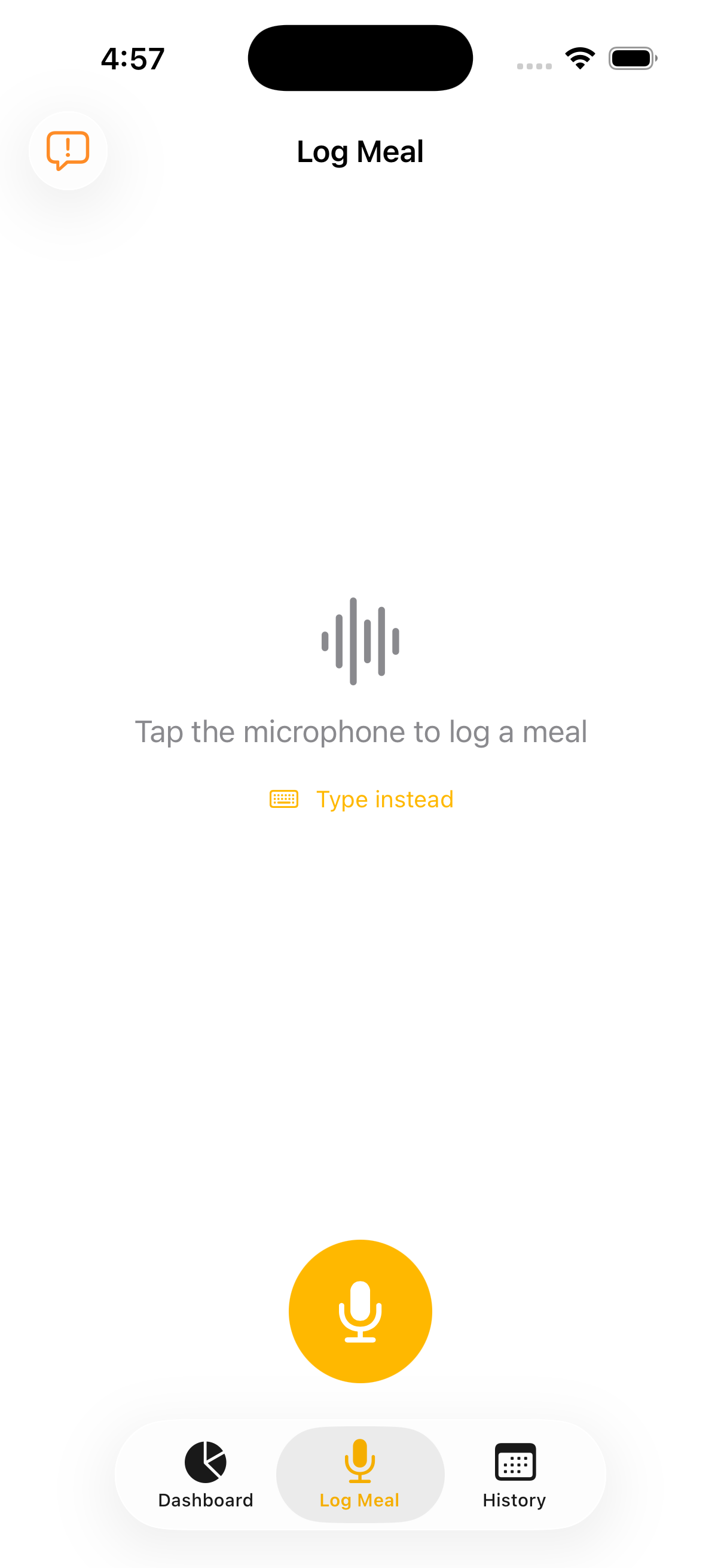
Voice logging is the fastest way to track a meal. Open the Log Meal tab and tap the microphone.

  1. Tap the microphone and speak naturally — for example, "three scrambled eggs, two slices of whole wheat toast, and a black coffee."
  2. On-device AI parses your speech into separate food items with quantities.
  3. Review and confirm. VoxCal shows each detected item with its estimated calories and macros. Adjust anything that's off, then save.

Everything — speech recognition and AI parsing — happens on your device. Nothing is sent to a server.

  • Prefer typing? Tap Type instead to enter a meal by hand.
  • Estimates. Nutrition values for voice logs are AI estimates matched to a food database; a disclaimer on the review screen reminds you to adjust portions for accuracy.

Tip: You can log water and supplements by voice too — just say "a glass of water" or "one vitamin D capsule."

Voice Logging

Manual Logging

Enter a meal by hand

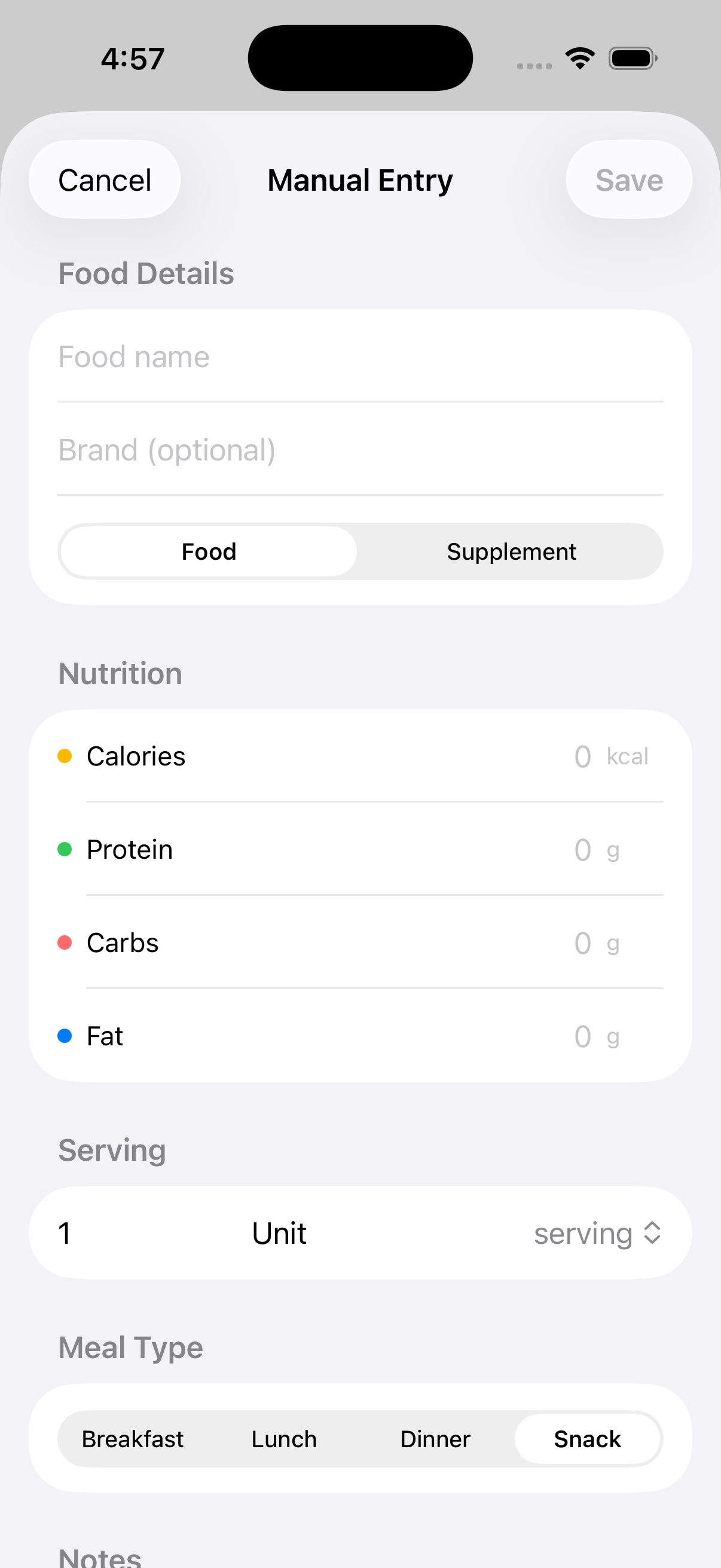
When you'd rather type, manual logging gives you full control over every value. Open it from the + button on the Dashboard, or by tapping Type instead on the Log Meal screen.

  • Name the food or supplement.
  • Quantity and unit — e.g. 200 g, 1 cup, 2 slices.
  • Calories and macros — calories, protein, carbs, and fat.
  • Meal type — breakfast, lunch, dinner, or snack.
  • Supplement toggle — mark the entry as a supplement so it's tracked separately from food.

Manual entries are saved instantly and appear on your Dashboard and in History alongside voice logs.

Tip: Editing an existing entry uses this same screen — tap any logged item in History or on the Dashboard to adjust it.

Manual Logging

Barcode Scanning

Scan packaged foods

For packaged products, barcode scanning looks up nutrition automatically. Open it from the barcode icon on the Dashboard.

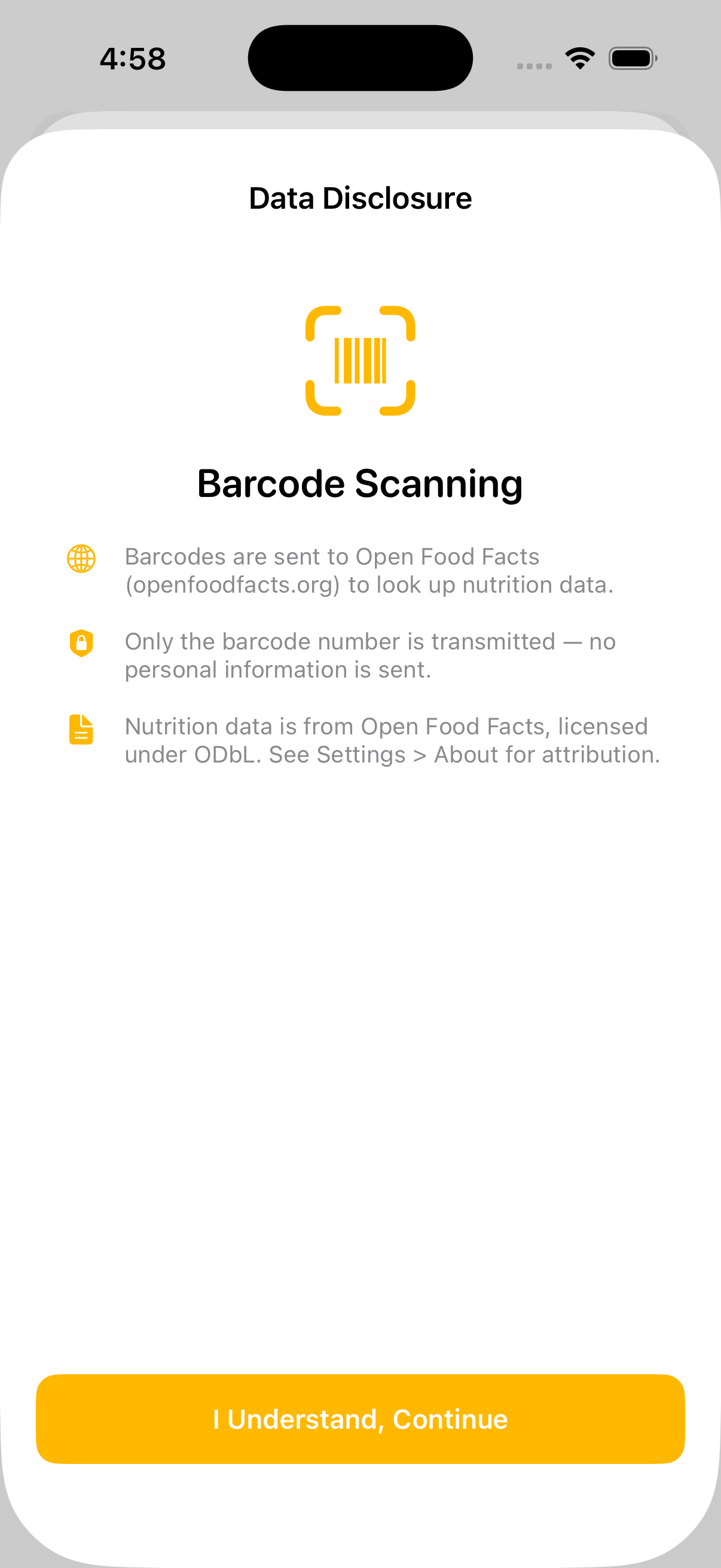
The first time you scan, VoxCal shows a short data disclosure:

  • Barcodes are sent to Open Food Facts (openfoodfacts.org) to look up nutrition data.
  • Only the barcode number is transmitted — no personal information is sent.
  • Nutrition data is provided by Open Food Facts under the ODbL licence. Attribution is in Settings → About.

After you tap I Understand, Continue, point your camera at a product barcode. When a match is found, the product and its nutrition are added to your log.

Note: Barcode lookup is the one feature that uses the internet — and only the barcode number leaves your device. Voice logging and the USDA food database remain fully offline.

Barcode Scanning

History

Review any day

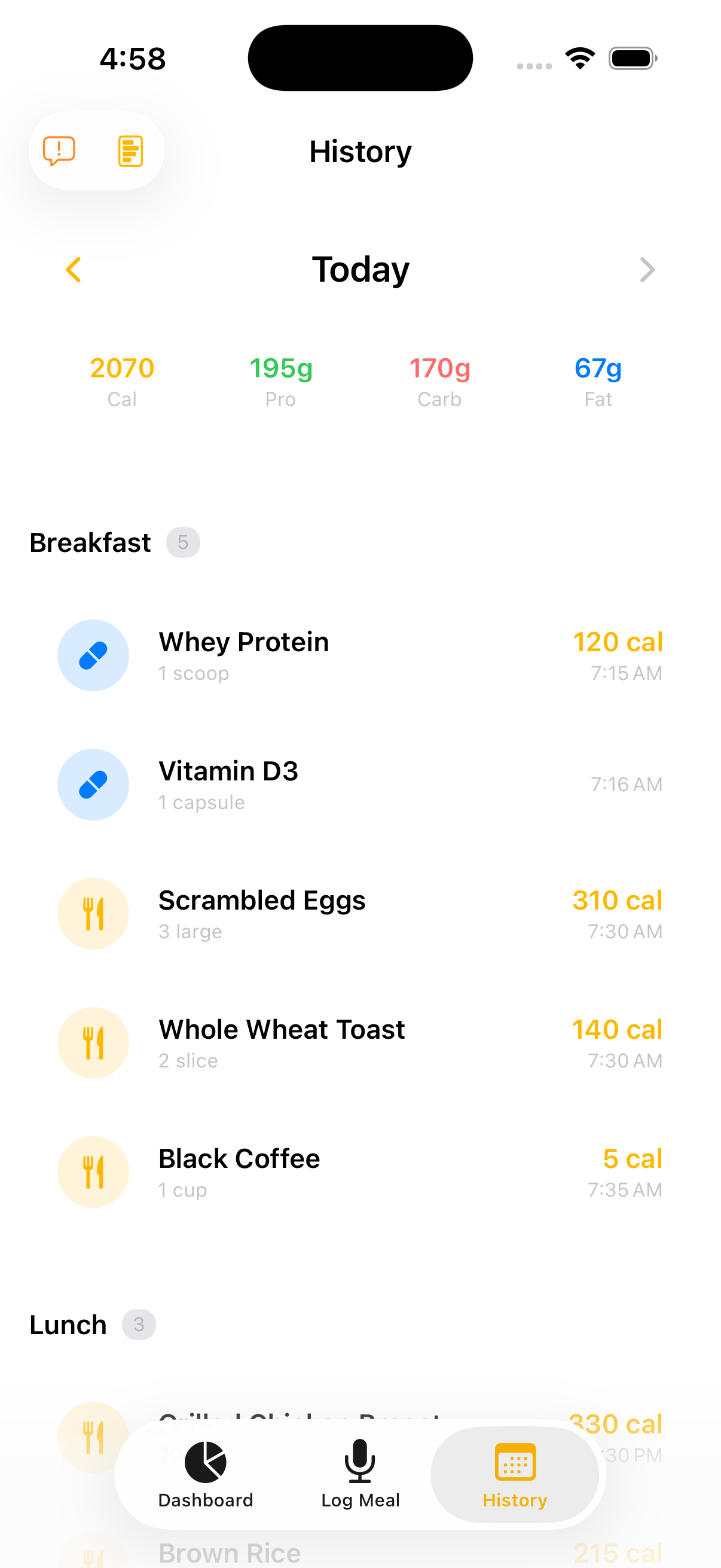
The History tab lets you look back at everything you've logged, day by day.

  • Navigate days. Use the arrows or the date header to move between days. The current day is labelled Today.
  • Daily totals. The top row summarises calories, protein, carbs, and fat for the selected day.
  • Grouped by meal. Entries are organised under Breakfast, Lunch, Snack, and Dinner, each showing the quantity, time logged, and calories.

Tap any entry to edit it, or open a Report for deeper trends across a week.

Tip: History is also where you confirm any items your Apple Watch logged while your iPhone was away.

History

Reports

See your trends

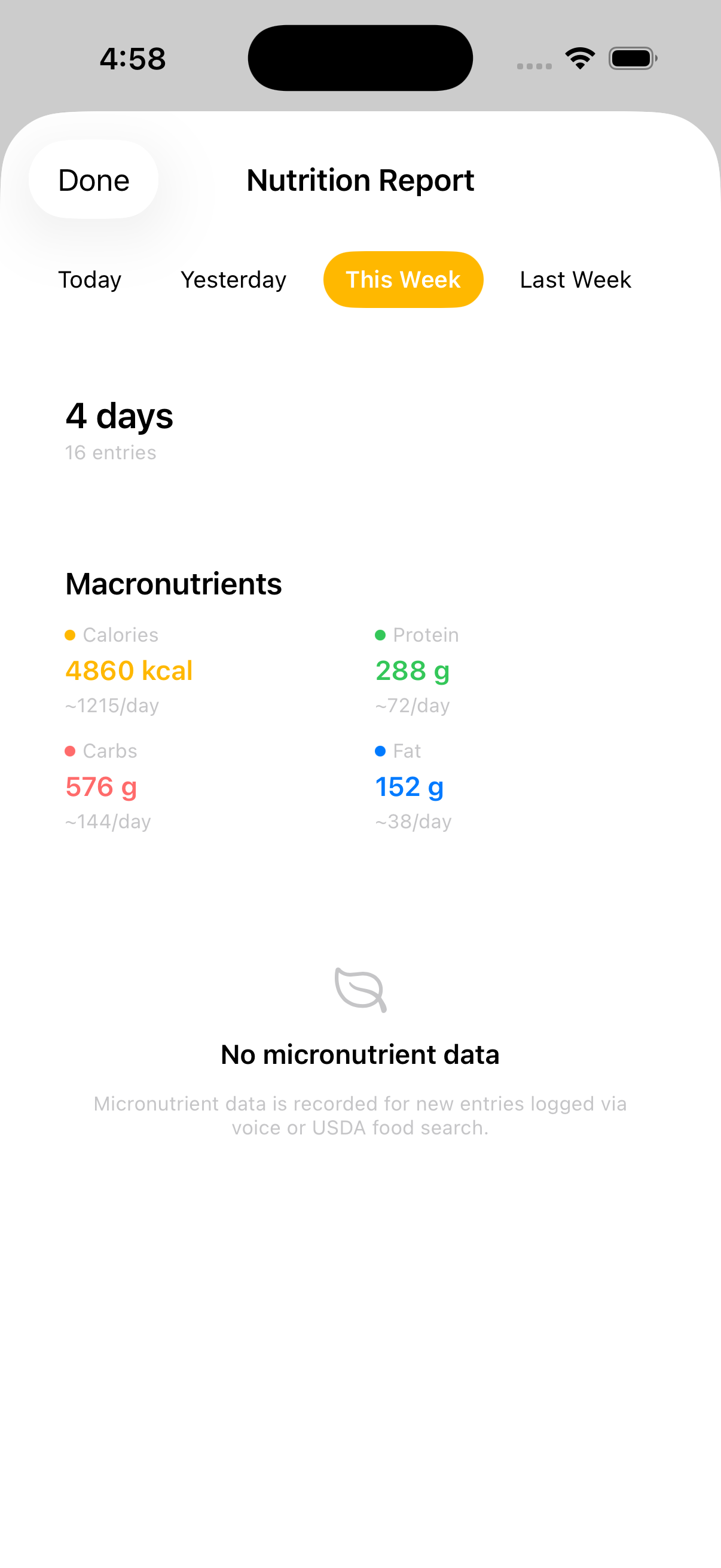
Reports turn your logs into trends over time. Open one from the History tab.

  • Pick a period. Switch between Today, Yesterday, This Week, and Last Week.
  • Macronutrients. See total calories, protein, carbs, and fat for the period, plus a per-day average.
  • Entry count. The header shows how many days and entries are included.
  • Micronutrients. New entries logged by voice or via USDA Food Search also record micronutrients, which appear here as you build up data.

Tip: Weekly reports are the best way to spot patterns — like whether your protein consistently lands near your goal.

Reports

Settings

Make VoxCal yours

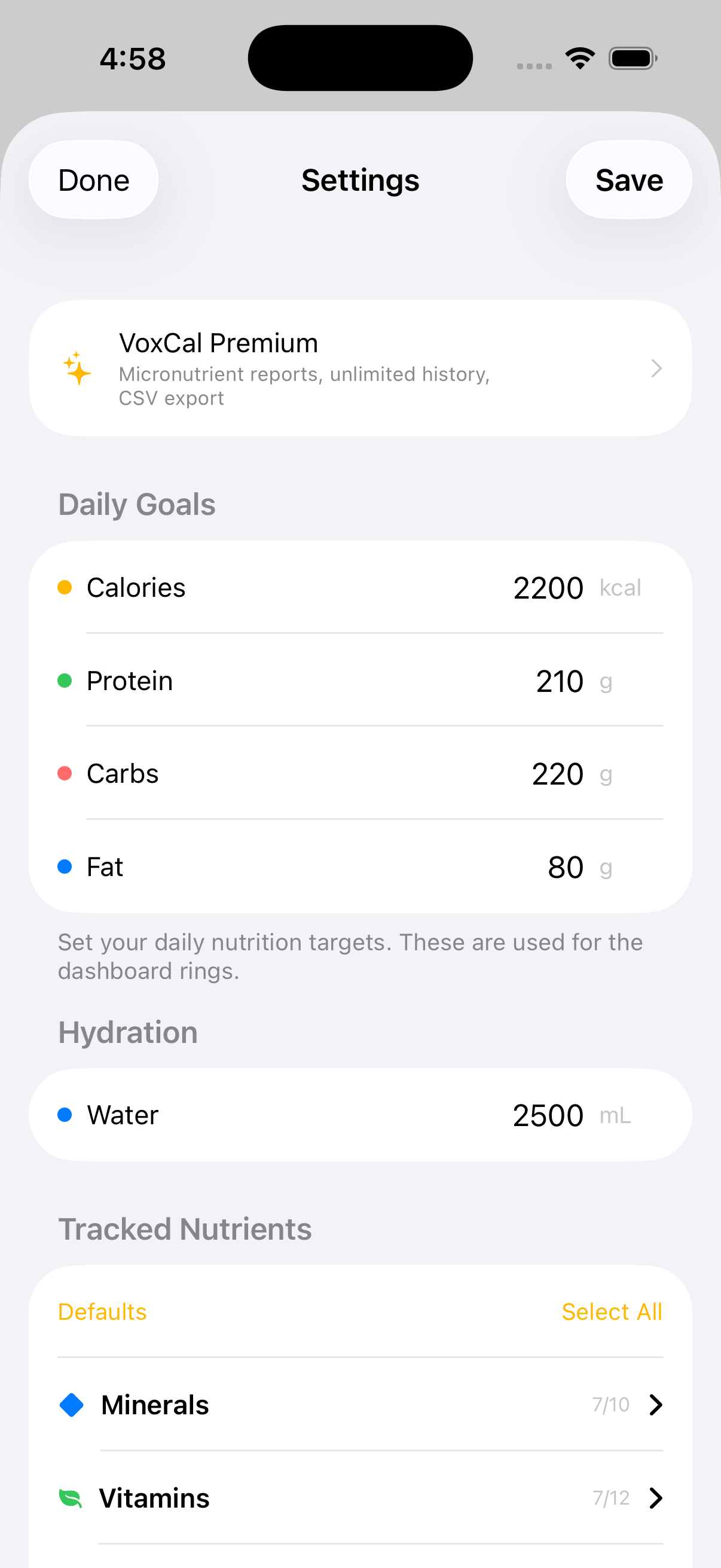
Settings is where you tune VoxCal to fit you. Open it from the gear icon on the Dashboard.

  • Daily goals. Adjust your calorie, protein, carb, fat, and water targets.
  • Language. Switch the interface and voice recognition between English and Bulgarian.
  • Voice confirmations. Optionally have VoxCal read back what it logged.
  • Food Markets. Download regional branded-food packs for more accurate local matches.
  • Apple Health. Sync your nutrition and water to Apple Health.
  • Help Guide. Replay the in-app tour at any time.
  • Feedback. Report a problem or suggest a feature.
  • Privacy & About. Read the privacy policy and data-source attribution, or clear all your data.

Tip: Changing your goals updates the Dashboard rings immediately.

Settings

Premium

Unlock everything

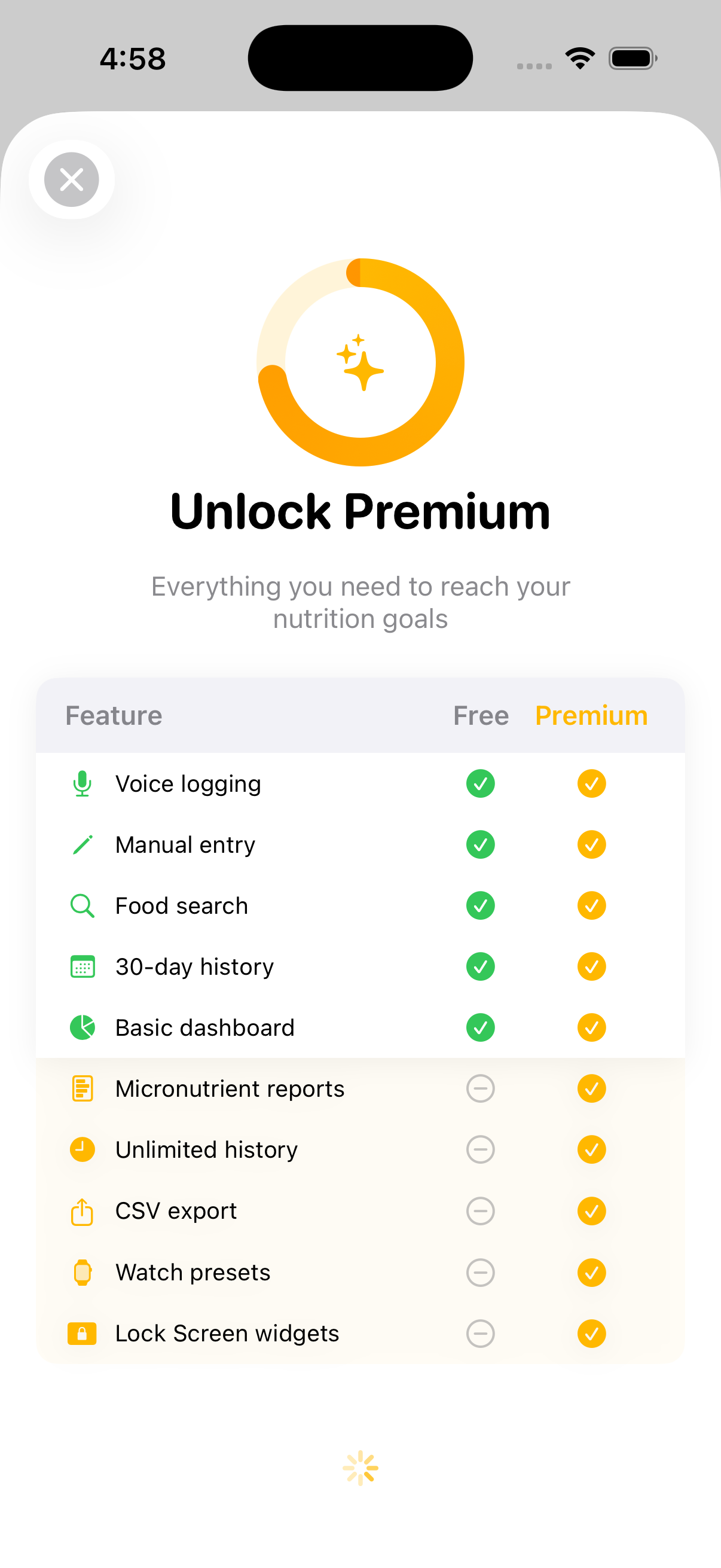
VoxCal is fully usable for free. Premium unlocks the deeper features for people who track seriously.

Always free:

  • Voice logging
  • Manual entry
  • Food search
  • 30-day history
  • The dashboard

Premium adds:

  • Micronutrient reports
  • Unlimited history
  • CSV export
  • Apple Watch quick-log presets
  • Lock Screen & Home Screen widgets

You can review the full comparison on the Unlock Premium screen and subscribe monthly or yearly. Your purchase restores across your devices signed in to the same Apple Account.

Note: Premium never changes the privacy model — everything still stays on your device.

Premium